
Data imports are a vital component of the management and development of your Salesforce.
The import process may be complicated than you had imagined especially when you are migrating data out of a legacy system, third party application, or just updating records. There are some pitfalls that many Salesforce users can fall into during the importation of the data that causes errors, delays, and frustrated users.
However, these problems have been left behind with Smart Lookup Data Loader. This blog post will discuss the five most frequent Salesforce data import errors and demonstrate how Smart Lookup Data Loader can be used to solve the problem more effectively.
1. Mismatched Fields
The Mistake
The wrong placement of fields in the Salesforce object fields and CSV file are one of the most frequent errors when importing data to Salesforce. This may occur when the CSV headers are not exactly the names of the Salesforce fields, thus the data will be imported into different locations.
How Smart Lookup Data Loader Solves It
Smart Lookup Data Loader is an automated identifier that will match your CSV headers with Salesforce fields, and it is a lot easier to get the data added in the right place. The tool adjusts the data to fit the field correctly and in the event that there are some discrepancies, it enables you to correct the discrepancies with the help of few clicks.
- Automatic Field Mapping: The tool will auto-map CSV columns to Salesforce fields based on the headers, reducing the chance of human error.
- Manual Adjustments: If an automatic match isn't found, you can easily adjust the mapping in a clear, user-friendly interface.
2. Duplicates in Data
The Mistake
Duplication of records may be a major problem when importing huge data into Salesforce. This is possible when you do not have good logic to verify the presence of a record before inserting or updating a record. Duplicates also not just clog your system but also report and analytics also skew.
How Smart Lookup Data Loader Solves It
Data Loader of Smart Lookup operates on an upsert feature that automatically avoids duplicates. It verifies the existence of a record in Salesforce with the same identifier and alternatively updates it given the need to so. This will prevent occurrence of duplicates because only new records will be added and old records will be updated.
- Upsert Logic: The tool uses unique identifiers (like record IDs) to check for existing records and update them accordingly, preventing duplicates.
- Duplicate Detection: The app offers robust duplicate detection, ensuring your Salesforce data remains clean and organized.
3. Incorrect Lookup Relationships
The Mistake
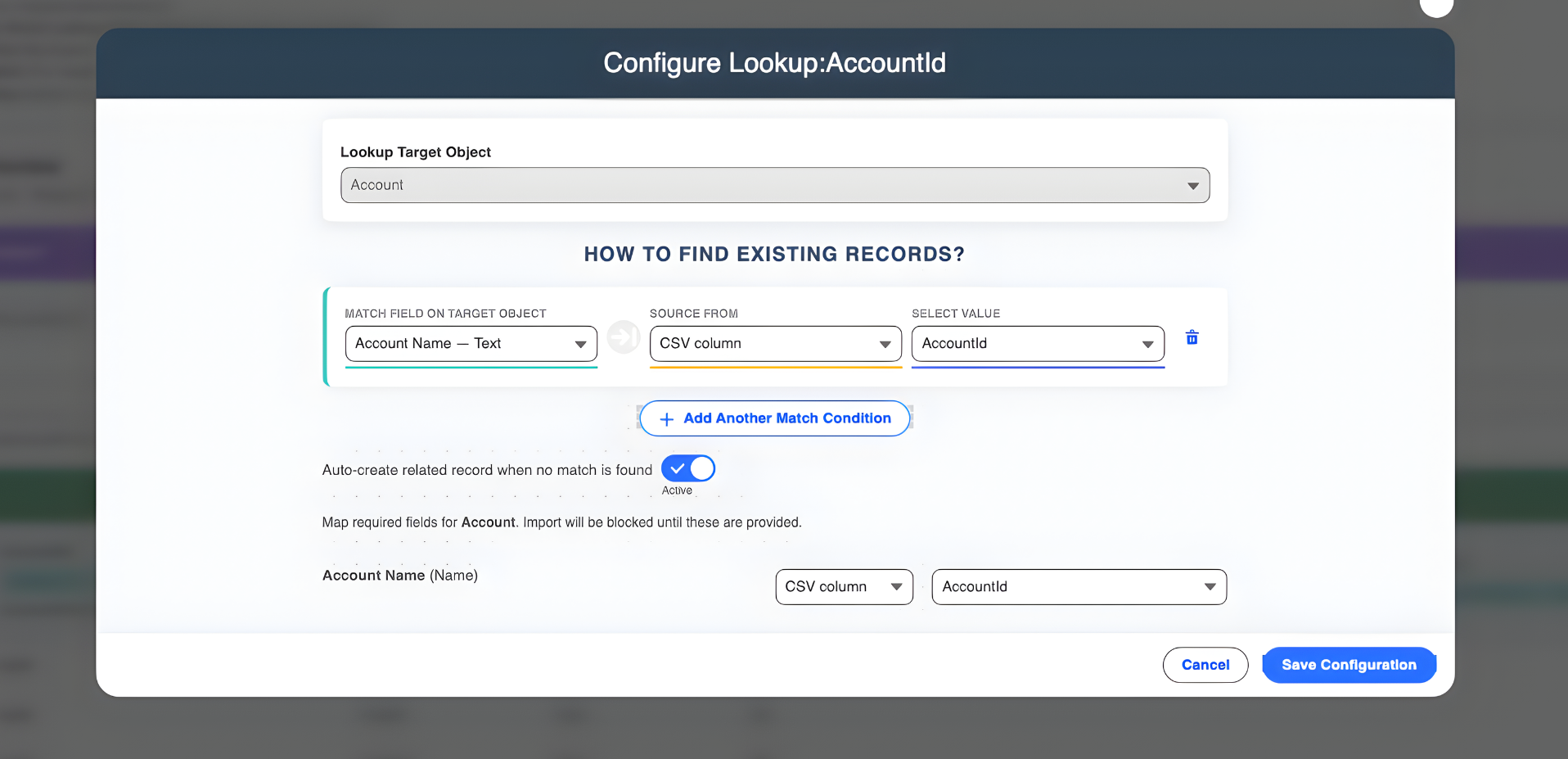
The other error is the misuse of the lookup relationships. Indicatively, during importation of data on Contacts and matching this data with Accounts, the importation may fail or may create the wrong associations when the lookup field in the CSV is not correctly formatted (such as using an Account Name rather than an Account ID).
How Smart Lookup Data Loader Solves It
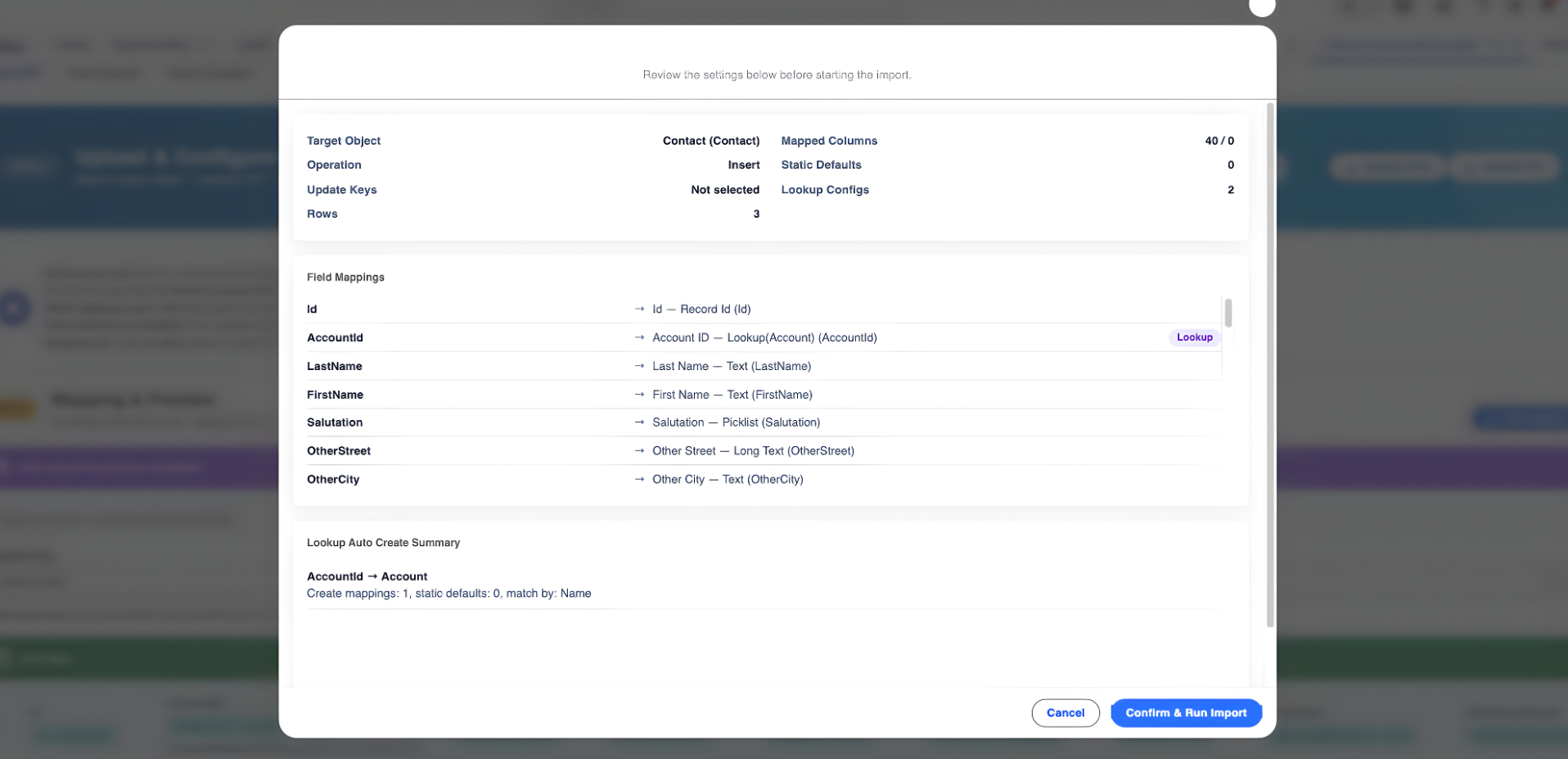
Smart Lookup Data Loader is used to make certain that all the relationships between lookups are treated in the correct way, by automatically transforming the name assigned to related records into Salesforce IDs when loading. When the tool observes some discrepancy between the Account Name and Account ID then it will automatically rectify the look up or ask you to rectify the error and then continue.
- Automatic Lookup Resolution: The tool automatically converts lookup field values (like Account Name) to the correct Salesforce ID, ensuring proper associations.
- Clear Alerts: If there are issues with the lookups, Smart Lookup Data Loader will notify you and guide you to resolve them before continuing.
4. Missing or Incomplete Data
The Mistake
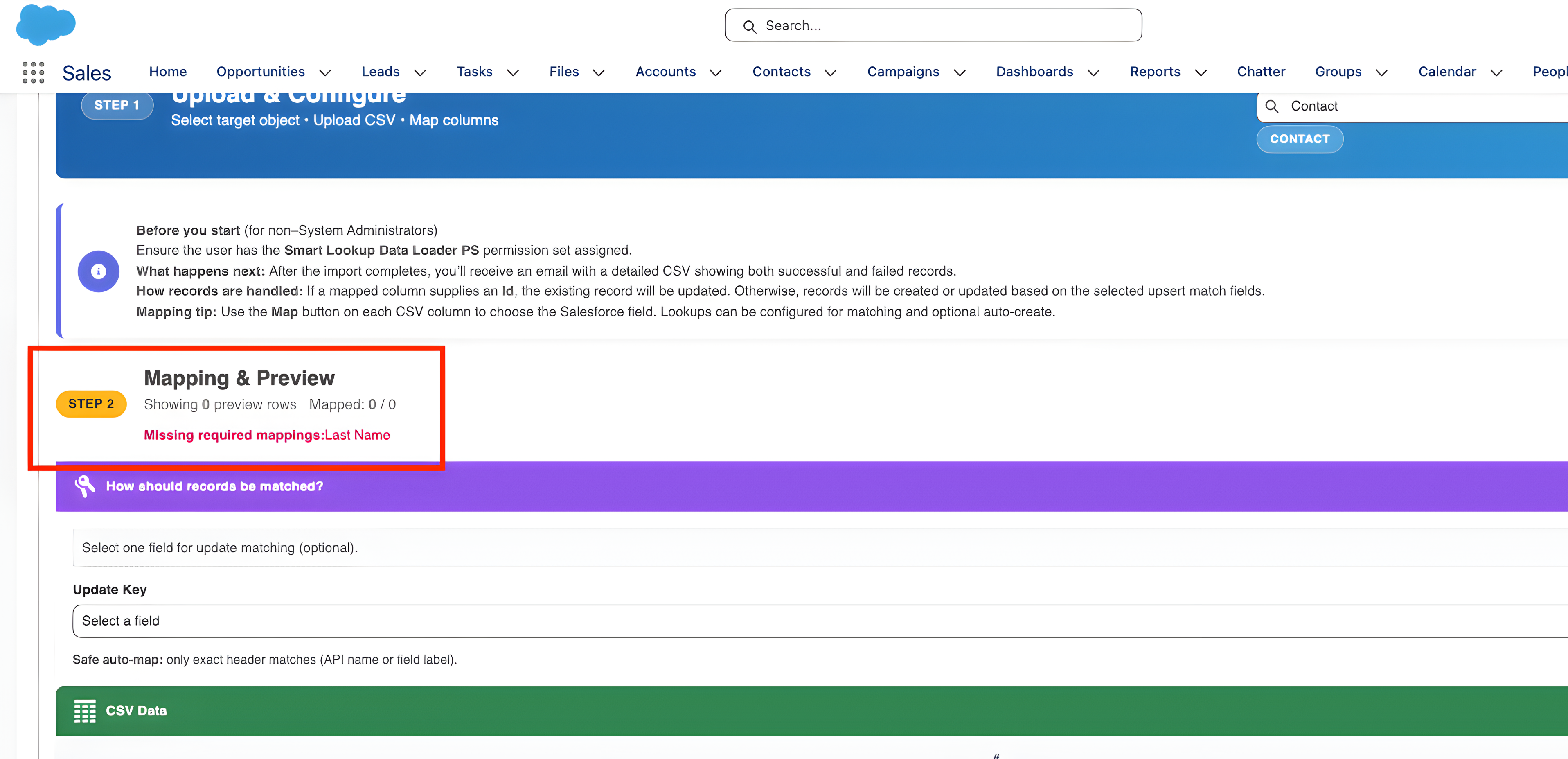
The CSV files may sometimes lack the required fields or contain incomplete information which may cause the import to fail or create erroneous records. As an illustration, in case a Contact record lacks an Email Address and the field is mandatory in Salesforce, then the import failure will be experienced.
How Smart Lookup Data Loader Solves It
Smart Lookup Data Loader does the validation of data prior to the import. It checks for required fields and highlights any missing or incorrect data in your CSV file. The tool will also not allow the import to continue in case of any problems and only whole and acceptable data can be uploaded to Salesforce.
- Data Validation: The tool automatically checks for missing required fields or invalid data before the import starts.
- Error Reporting: If data is missing, it provides clear error messages, so you can know exactly which records need attention.
5. Slow Import Process
The Mistake
Importation of large datasets manually can be very time consuming. Depending on the file size, you can discover that the process can take hours, and in case of errors, then it can be necessary to restart again. This may create slows and bottlenecks within your data management process.
How Smart Lookup Data Loader Solves It
Smart Lookup Data Loader is speed-based. With having the majority of the importing process automated and algorithms being optimized when working with large sets, the tool allows imports to be done in minutes instead of hours. This will help Salesforce admins and data teams be much more productive and efficient.
- Fast Imports: The tool leverages optimized import algorithms to quickly process large datasets, saving you time.
- Progress Tracking: Smart Lookup Data Loader provides a real-time progress bar, so you can track your import status and be confident it’s running smoothly.
Conclusion
Importing of data does not necessarily have to be a tense time-consuming process. With Smart Lookup Data Loader, it is possible to prevent typical errors during importing, simplify your work, and make sure your information is precise and current. Having a field mismatch, a duplicate, a wrong look up, or missing data, Smart look up Data Loader is the right tool to resolve this issue with ease.
Smart Lookup Data Loader is an excellent choice: it simplifies making mistakes during manual imports and minimizes them. You will save time, make your data more accurate, and have an easier time in your workflow, at the same time having the advantages of a free tool.
Ready to streamline your data?
Go to the AppExchange, install Smart Lookup Data Loader today, and begin importing your data with ease.
Get it on AppExchange