
Importing large datasets into Salesforce can often be a cumbersome, time-consuming task. Whether you’re dealing with hundreds or thousands of records, data imports usually involve manual processes that are slow and prone to errors.
But what if you could import large datasets into Salesforce in minutes—quickly, efficiently, and without worrying about data mismatches or duplicates? With Smart Lookup Data Loader, you can do exactly that. This tool is designed to make data imports faster and error-free, allowing you to get your data into Salesforce in a fraction of the time it would take using traditional methods.
Why Speed Matters in Data Imports
When it comes to managing Salesforce data, speed is essential. Here are some reasons why quick, efficient data imports are important:
- Time-Saving: The faster your data is imported, the more time you have to focus on higher-priority tasks, like analyzing the data or working with stakeholders.
- Reduced Downtime: Waiting for a long import process to complete can delay other tasks, slowing down your overall workflow.
- Avoiding Bottlenecks: Long, manual imports can lead to bottlenecks in your system, impacting customer service, sales, and operations.
How Smart Lookup Data Loader Accelerates Your Imports
Smart Lookup Data Loader streamlines every step of the import process, ensuring you can upload data in record time:
1. Intelligent Auto-Mapping
The tool’s auto-mapping feature instantly matches CSV columns to Salesforce fields. By eliminating the need to manually map each field, you save valuable time and reduce the likelihood of human error.
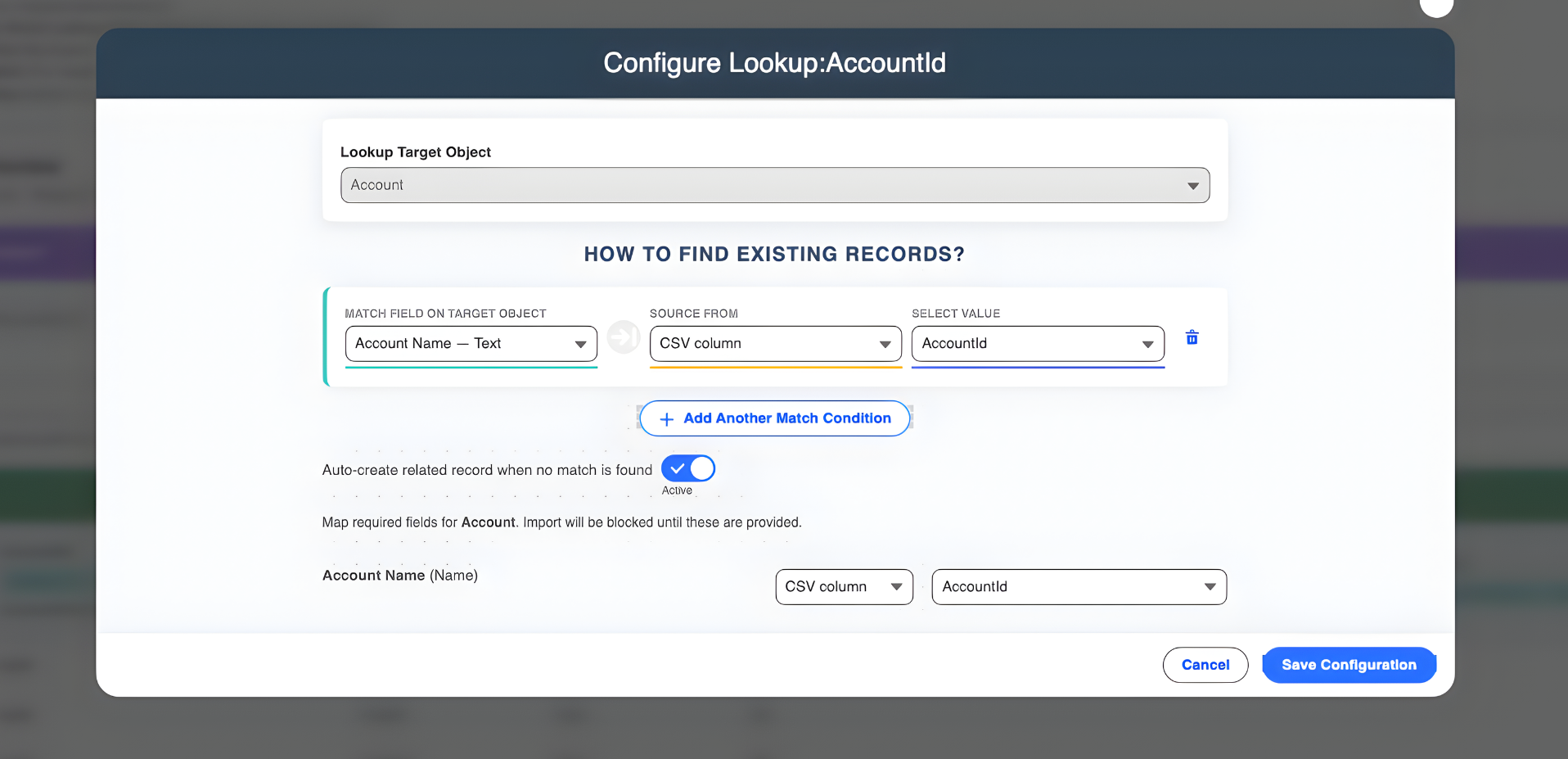
2. Upsert Functionality for Clean Data
Smart Lookup Data Loader’s upsert functionality prevents the creation of duplicate records. It automatically checks for existing records and updates them or inserts new ones as needed, ensuring your Salesforce instance remains clean without extra manual work.
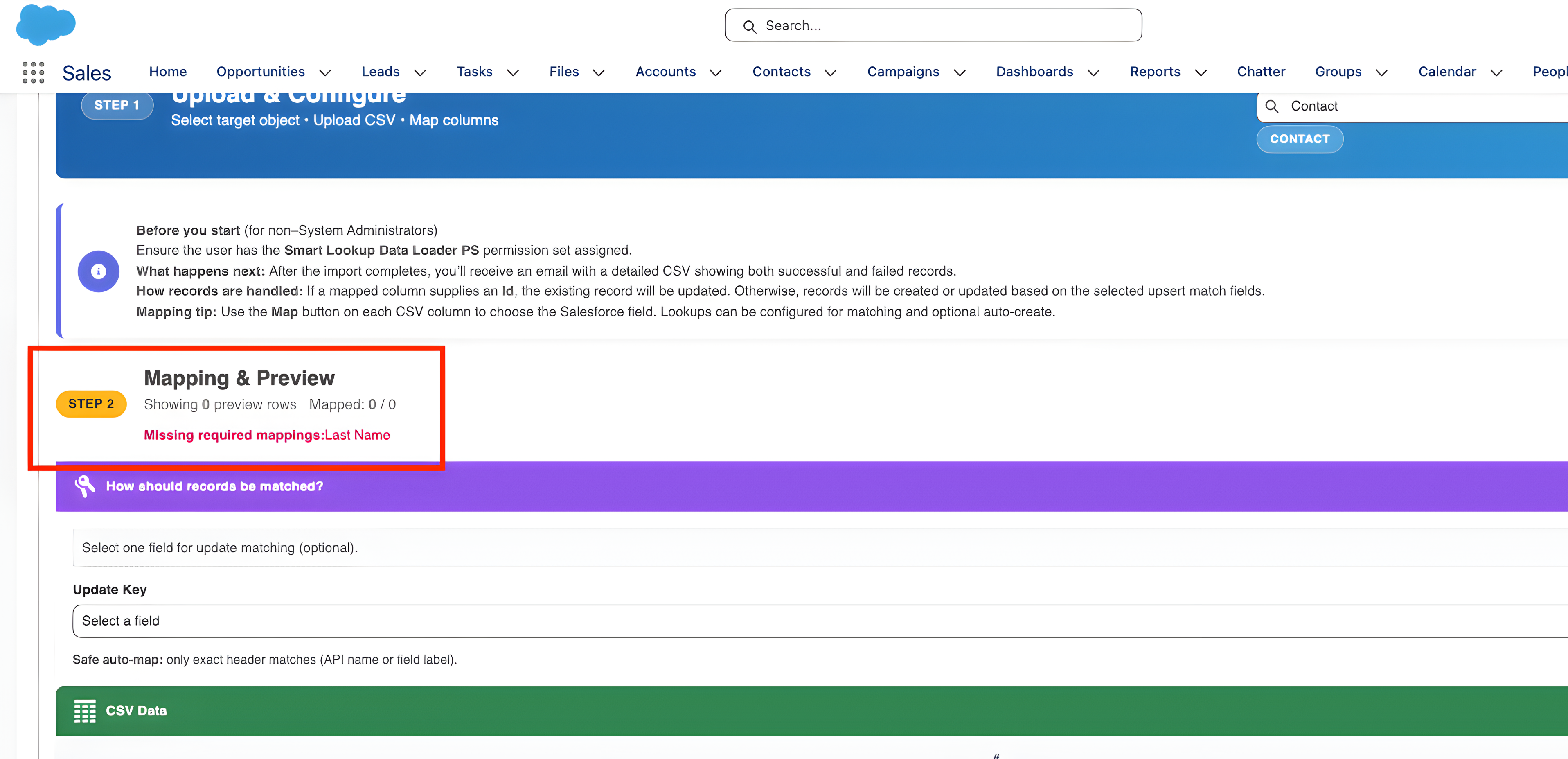
3. Real-Time Data Validation
Before you even start the import, the tool validates your data in real time. It checks for missing fields, incorrect formats, and other potential issues, allowing you to fix errors before the import begins, rather than troubleshooting after a failure.
4. High-Performance Bulk Processing
Designed to handle large datasets, Smart Lookup Data Loader uses bulk processing to import thousands of records in minutes. Whether you’re importing contact lists, sales data, or custom object records, the tool processes data at lightning speed.
5. Progress Tracking and Alerts
You’ll never have to wonder if your import is working. The tool provides a progress tracking interface, giving you live updates on the status of your import and alerting you immediately if any issues arise.
The Benefits of Using Smart Lookup Data Loader
- Speed: Import large datasets in minutes, drastically reducing time spent on manual imports.
- Accuracy: Automated mapping and validation ensure that your imports are error-free.
- Efficiency: Frees up your time for more strategic tasks by automating repetitive setup.
- Simplicity: An easy-to-use interface makes it accessible even for non-technical users.
Conclusion
Importing data into Salesforce doesn’t have to be a stressful, time-consuming process. With Smart Lookup Data Loader, you can import your data quickly, accurately, and with minimal effort.
Ready to save time and streamline your Salesforce data imports?
Try Smart Lookup Data Loader today and experience how fast, easy, and efficient your data imports can be.
Get Started on AppExchange