
One of the most significant and, at the same time, most frustrating Salesforce admin task is data importation.
The manual process may be tedious, time-consuming, and has the possibility of errors whether you are importing records in a CSV file, updating existing records or a complex data mapping. You may have been using manual data imports in Salesforce and are likely to know how difficult and inefficient it can be.
Luckily, there is a tool that may simplify this process and help you to save time and even headache: Smart Lookup Data Loader. In this blog post, we will make a comparison between manual data import process and the Smart Lookup Data Loader, we will also make it clear how a tool can save a lot of errors and make your work process a lot easier.
The Pain of Manual Data Imports in Salesforce
In cases whereby data are being imported into Salesforce manually, it may prove to be slow, cumbersome, and prone to errors. These are some of the pitfalls experienced by Salesforce users in performing manual imports:
- Manual Field Mapping: Creating CSV column to Salesforce fields may be tedious. In many cases, one can simply overlook a field or make errors during matching the incorrect columns, thus importing incorrect data.
- Duplicate Records: Duplicates represent one of the greatest headaches in the manual imports. The admins do not have an automated process, and thus they need to cross-check records manually, which may be time-consuming and error-prone.
- Data Validation: It is important to make sure that the information in your CSV file is compatible with Salesforce data needs (e.g. it includes the necessary fields, has the right type of fields, etc.). By validation of the data by hand it is necessary to take time to review the data prior to and after importing the data, which generally leaves errors overlooked.
- Error Troubleshooting: In case of any failure in a manual import, it may take hours to troubleshoot. It is a tedious and annoying task to determine which record resulted in the error and correct it and re-upload the file.
- Time-Consuming: The amount of time needed to carry out the manual imports increases with the volume of data. A small file may take an hour but then it may need a day to be done with large datasets.
How Smart Lookup Data Loader Solves These Problems
Smart Lookup Data Loader saves time, simplifies and corrects the process of importing the data. This is how it handles the issue of manual imports of data:
1. Automated Field Mapping
The Smart Lookup Data Loader automatically matches the CSV column with Salesforce fields, which saves time and with accuracy unlike manual imports. The tool asserts intelligent algorithms to find and identify the CSV column headers with the appropriate Salesforce fields to reduce the chances of mismatch.
Manual Import: You have to manually match every CSV column to the corresponding Salesforce field.
Smart Lookup Data Loader: The tool automatically matches your CSV columns to Salesforce fields, allowing you to confirm or adjust the mapping with a few clicks.
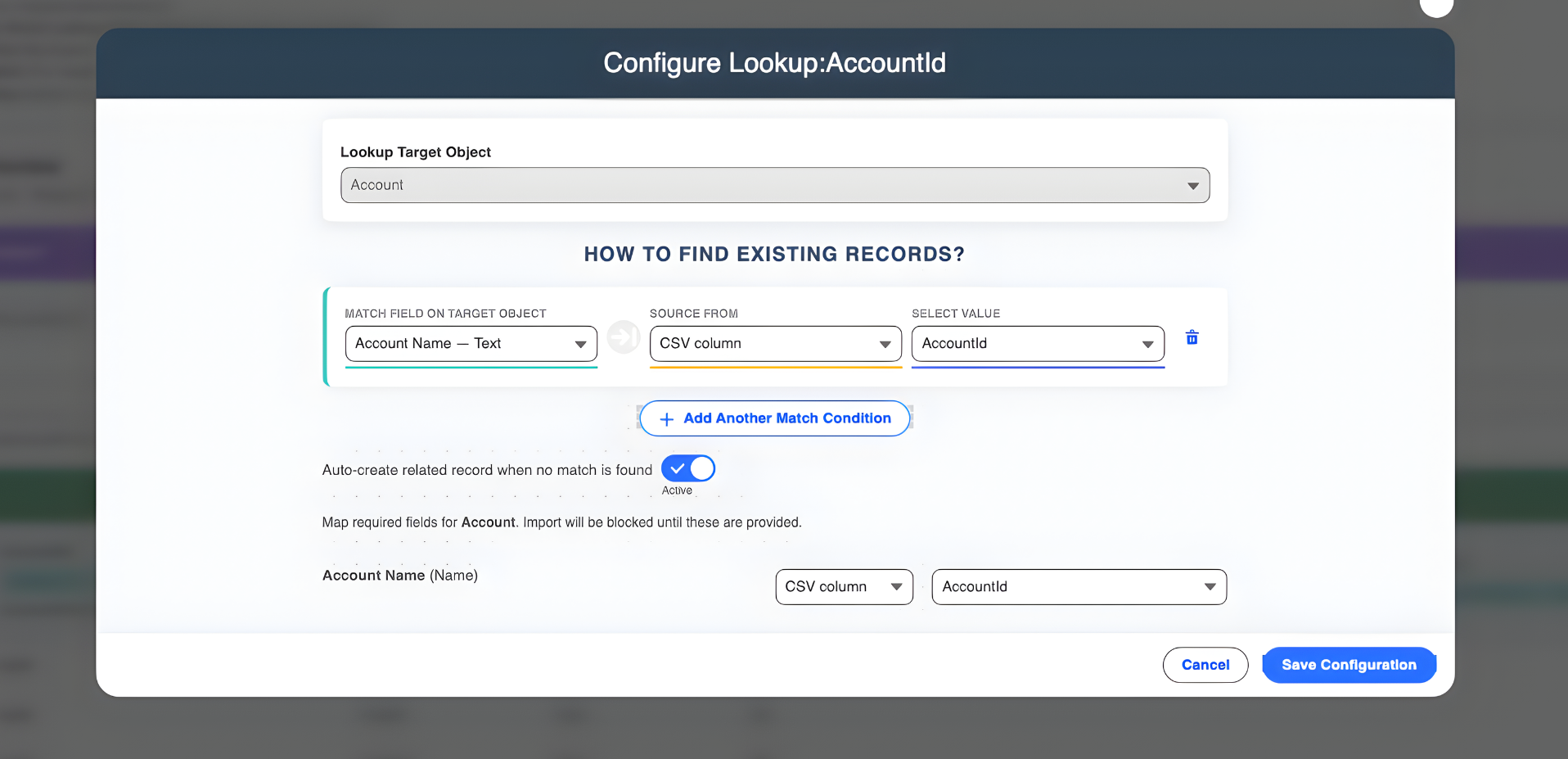
2. Duplicate Detection and Upsert Capabilities
Duplicate records are one of the most frequent issues of manual data imports. The Smart Lookup Data Loader is used to make sure it does not create duplicates using the upsert logic. It will automatically validate records of existing records and update them where necessary so that you do not get duplicate records in your Salesforce database.
Manual Import: You have to manually check for duplicates, which often results in missed records.
Smart Lookup Data Loader: Automatically detects duplicates and handles upserts, ensuring that existing records are updated rather than duplicated.
3. Data Validation Built-In
The Smart Lookup Data Loader checks your data before you can even start importing it to make sure it is compatible with the Salesforce data structure. In case of any errors in your CSV file (such as the absence of mandatory fields, incorrect data types, etc.), the tool will notify you prior to the importing process, avoiding unnecessary errors and wasting time in the long-term perspective.
Manual Import: You manually validate each field, checking for errors and fixing them before or after the import.
Smart Lookup Data Loader: The tool automatically checks your data for validation errors and gives you feedback before you import, so you can correct issues upfront.
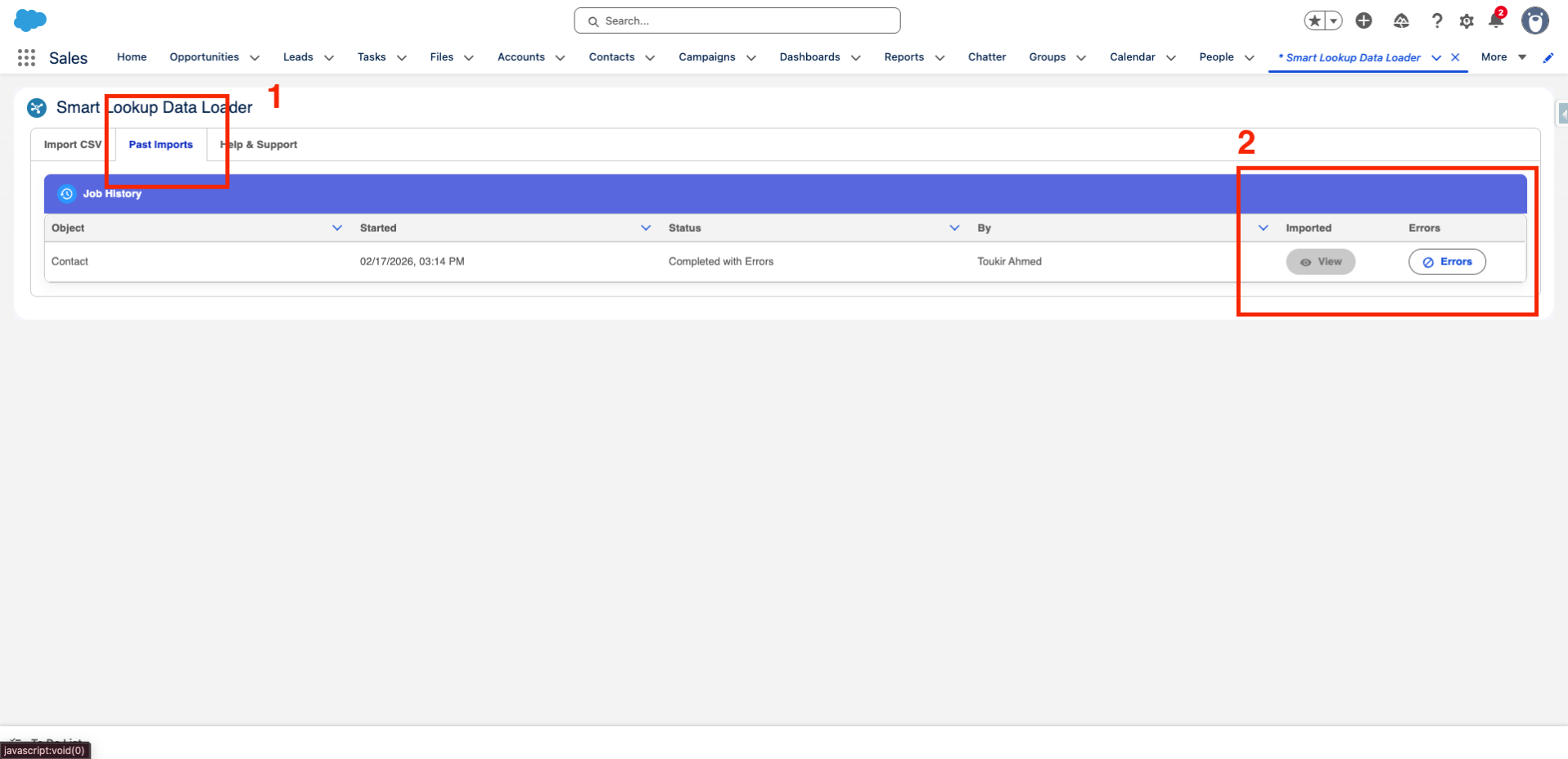
4. Fast and Easy Error Troubleshooting
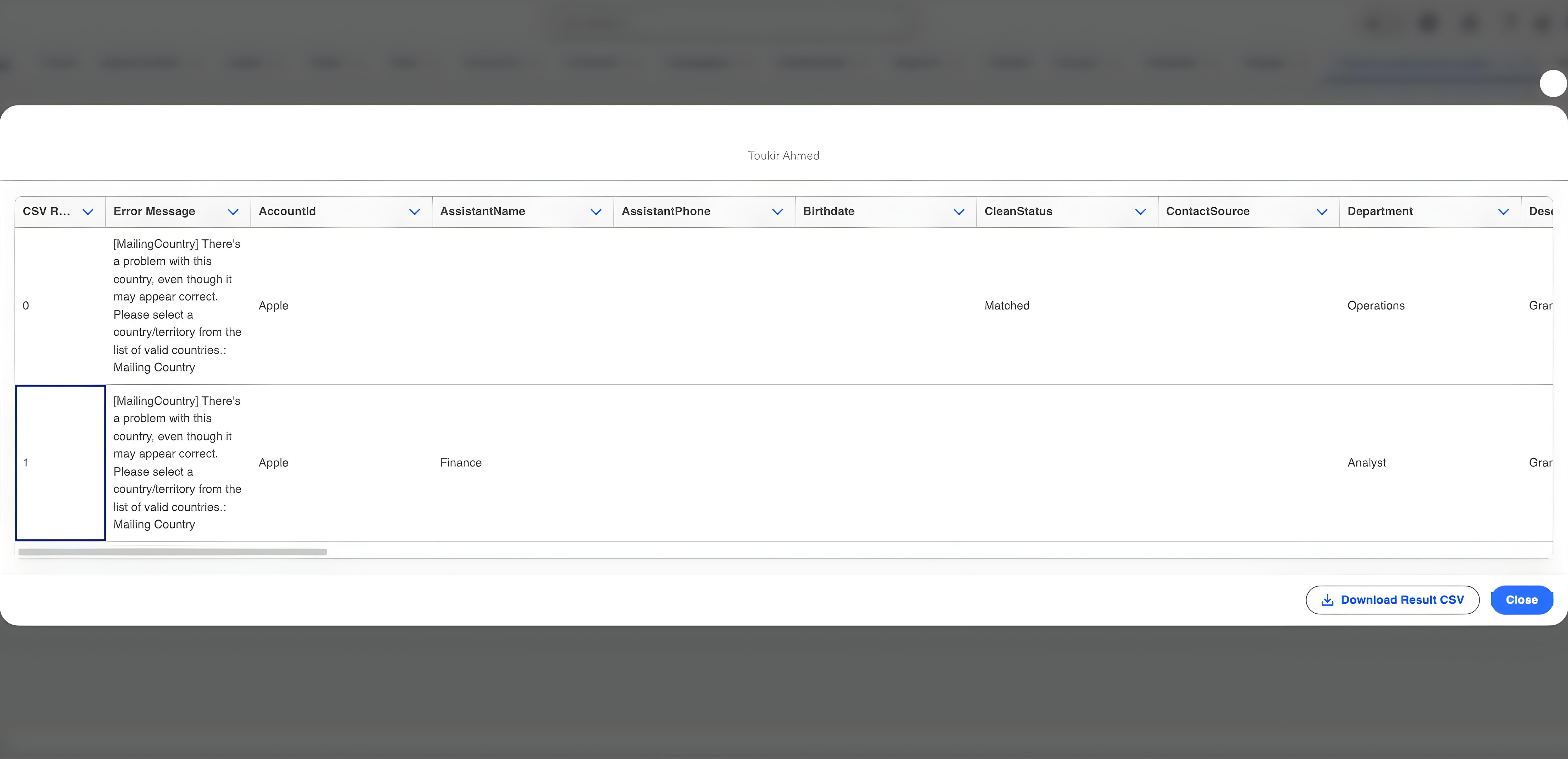
In case of an error that occurs during the import, Smart Lookup Data Loader would give a detailed log of the errors, which would allow you to locate the point where the actual problem is. The log is easy to download, edit the required changes and re-import the data without going through the whole process once more.
Manual Import: Errors can take hours to troubleshoot, especially if you have a large dataset.
Smart Lookup Data Loader: Provides an easy-to-read error log that helps you quickly identify and fix problems.
5. Save Time and Effort
Smart Lookup Data Loader can help you finish the import process in several minutes, even with large datasets, by automating the tiresome process of data importing, including field mapping, error detection, and duplicate detection. This is a drastic change over the manual imports that may take hours and sometimes days to complete, particularly when the data structure is of complex nature.
Manual Import: Time-consuming, error-prone, and requires constant attention.
Smart Lookup Data Loader: Fast, efficient, and reduces the time needed to import data by automating key steps.
The Benefits of Smart Lookup Data Loader
- Time-Saving: Data is imported in minutes and not hours with automated field mapping, duplicate detection and data validation.
- Minimized Error: Goodbye to any manual errors Smart Lookup Data Loader keeps your data error free even before you have had a chance to begin the importing process.
- Uninterrupted Integration: It connects well with Salesforce and so your data is updated or inserted where it is required.
- Free and Simple to install: Even better is that Smart Lookup Data Loader is free and thus you can simplify your data import process without paying even a single penny.
Conclusion
The whole process of data importing manually can become irritating and time-consuming, but with Smart Lookup Data Loader, it is possible to make the whole process simpler. Smart Lookup Data Loader simplifies the effortless importation of large volumes of data into Salesforce through automation of tedious processes such as field mapping, duplicate detection and data validation. Savings of time, prevent mistakes, and enhance your workflow, at the same time, with a free tool that is meant to make your life simple.
Ready to make the switch?
Introducing Smart Lookup Data Loader which will allow you to never again have to manually import data!
Get it on AppExchange