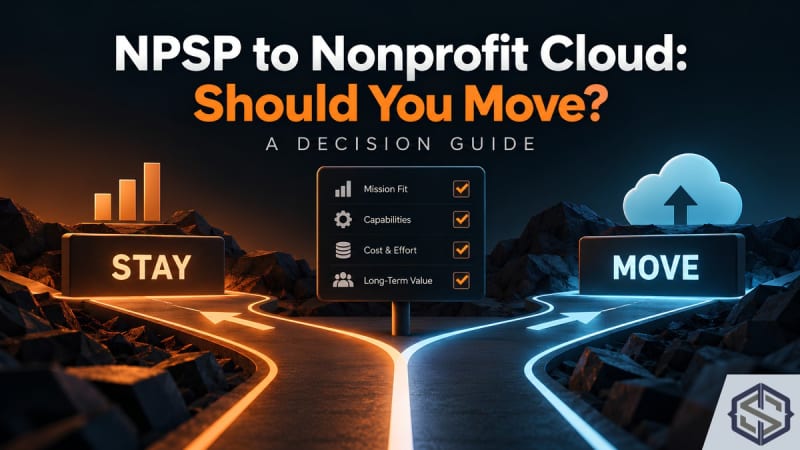
Short answer: not automatically. NPSP is still supported and Salesforce has not announced an end-of-life date, so moving is a decision, not a deadline. Move when Nonprofit Cloud solves a problem you actually have, usually programme or case management, a messy gift process, grantmaking, or a need for Salesforce's new AI features. Stay when your NPSP org is stable, your integrations depend on it, and you have no budget for a rebuild this year. Either way, start cleaning your data now, because that work pays off whichever you choose.
Why this is a real decision, not a forced one
Because there is no in-place upgrade, moving from NPSP to Nonprofit Cloud means building a new org and migrating into it. That costs real money and staff time. Some partners frame the move as inevitable. It may be eventually, but "eventually" is not a business case. The case has to come from what the move does for your organisation in the next two to three years.
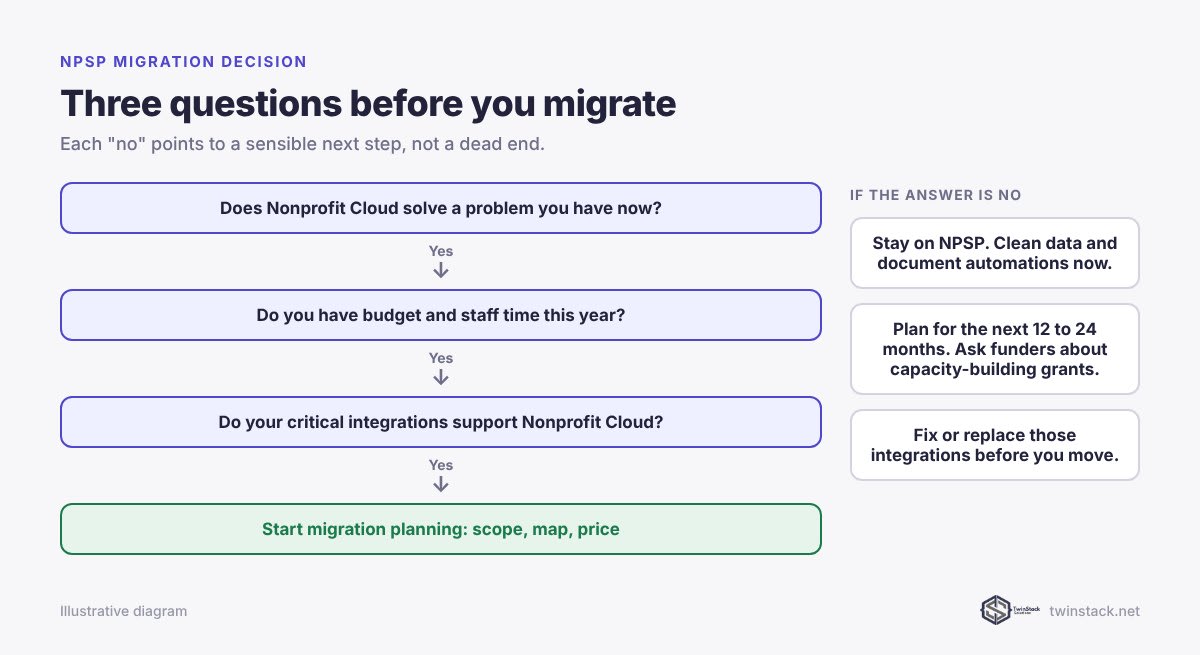
Eight signals it is time to move
- You run programmes or case work outside Salesforce. Spreadsheets for attendance, a separate case tool, or the Program Management Module stretched past what it was built for. Program and case management are native in Nonprofit Cloud.
- Your gift processing is fragile. Batches are keyed by hand, reconciled in Excel, and occasionally double-counted. Nonprofit Cloud's Gift Entry stages gifts and dry-runs a batch before anything posts.
- You give grants. Nonprofit Cloud for Grantmaking handles applications, reviews, awards and disbursements. NPSP has no equivalent.
- You want Salesforce's nonprofit AI agents. Prospect Research, Participant Management and the other Agentforce Nonprofit agents are built for the new data model.
- Your NPSP org is heavily customised and hard to maintain. If a rebuild is coming anyway, rebuilding on the current platform is better than rebuilding on the old one.
- Your key integrations already support Nonprofit Cloud. Check your payment processor, email tool and forms. If they support Nonprofit Cloud objects, a major blocker is gone.
- You are about to grow your Salesforce footprint. Adding portals, programmes or many more users is cheaper to do once, on the platform you will keep.
- A funder will pay for capacity building. Implementation is a one-off cost that suits capacity-building grants.
Five signals it is fine to wait
- Your org works and your team trusts it. A stable system with clean data is worth a lot.
- Critical tools only support NPSP. Moving before your payment or event tool supports Nonprofit Cloud means rebuilding that integration yourself.
- You have no budget or staff time this year. A half-funded migration is worse than no migration.
- Your data needs serious cleaning first. Migrating dirty data into a new model makes it harder to fix. Clean first, migrate second.
- Your fundraising calendar is full. Do not cut over during year-end giving or a major appeal.
A simple scoring exercise
Give each of the eight move signals a score from 0 (not true) to 2 (very true), then do the same for the five wait signals.
| Move score minus wait score | What it suggests |
|---|---|
| 6 or more | Start planning a migration now |
| 1 to 5 | Plan for the next 12 to 24 months, and clean data now |
| 0 or below | Stay on NPSP and review again next year |
This is a conversation starter for your board or leadership team, not a formula. One strong signal, such as needing grantmaking, can outweigh everything else.
What to do now if you decide to wait
Waiting well is different from doing nothing. These steps make a future move cheaper and safer:
- Clean your donor data. Deduplicate, standardise addresses and fix household structures. See donor data clean-up before a Salesforce migration.
- Document your automations. List every flow, process, trigger and integration and what it is for. This list becomes your rebuild scope.
- Stop adding custom objects where a Nonprofit Cloud standard object will exist later.
- Retire what nobody uses: unused fields, reports and permission sets. Our access review guide helps with the permissions side.
What to do now if you decide to move
Start with a scope, not a quote. Map your current objects to their Nonprofit Cloud equivalents using our data mapping guide, then price the hours with our timeline and cost guide. If you need a partner, our ten questions for choosing a nonprofit Salesforce consultant will help you compare proposals.
Frequently asked questions
Do we have to migrate from NPSP to Nonprofit Cloud?
No. Salesforce has not announced an end-of-life date for NPSP, and existing orgs remain supported. Migration is optional, but new features are going to Nonprofit Cloud, now sold as Agentforce Nonprofit.
When is the right time to move from NPSP to Nonprofit Cloud?
When Nonprofit Cloud solves a problem you have now, such as programme management, gift processing or grantmaking, and you have the budget and staff time to rebuild properly. Avoid cutting over during peak fundraising periods.
What are the risks of moving to Nonprofit Cloud too early?
The main risks are integrations that only support NPSP, migrating unclean data into a new model, and underfunding the project so that reports and automations are only half rebuilt.
What should we do if we stay on NPSP for now?
Clean your data, document every automation and integration, avoid new custom objects that Nonprofit Cloud will replace, and retire unused fields and reports. All of this lowers the cost of a future move.
Can a small nonprofit stay on NPSP?
Yes. Many small nonprofits run well on NPSP and have no immediate reason to move. Review the decision each year, especially before taking on programmes, portals or grants.
Want a second opinion on your score? Book a free call and we will review your org with you.