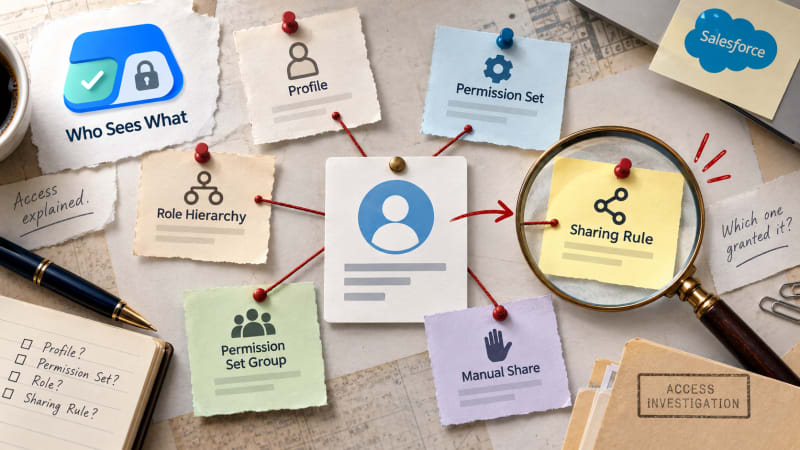
Knowing a user has access is half an answer. Fixing it requires knowing which rule is responsible.
Short answer: Knowing a user has access to something is only half an answer. Fixing it, or defending it in an audit, requires knowing which specific rule granted it. There is no single Setup screen that shows this. Tracing it means checking the profile, then every assigned permission set and permission set group, then role hierarchy and sharing rules for record-level grants, in that order, and confirming which one is actually responsible rather than merely consistent with the access observed.
Why "they have access" is not the useful answer
Say a user can edit the Amount field on Opportunity records they do not own. That statement describes the symptom. It does not tell you what to change.
If a permission set called Deal Desk granted that edit access, removing the user from that permission set fixes it, and nothing else is affected. If the profile itself grants it, the fix is different, more disruptive, and potentially affects every other user on that profile. If a sharing rule granted the record visibility that made the field relevant at all, neither of the above is the actual fix.
Three different root causes, three different fixes, and from the symptom alone you cannot tell which one applies.
The trace, layer by layer
Object-level access: profile first, then permission sets
Start with the profile. Object Manager, select the object, check the profile's object permissions directly. This tells you the baseline.
Then check every permission set assigned to the user individually. Permission sets are additive: they can grant access beyond the profile, but cannot revoke access the profile grants. If the profile alone explains the access, stop there. If it does not, one of the assigned permission sets is responsible, and you have to open each one to find which.
Permission set groups complicate this one step further. A permission set group bundles several permission sets together, and can also apply muting to selectively suppress specific permissions from the sets inside it. If a permission set group is involved, check both what it bundles and whether it mutes anything, since the group's net effect can differ from simply adding up its component permission sets.
Field-level access: separate from object access entirely
Object access and field-level security are independent settings. A user can have full edit access to Opportunity and still not see the Amount field, and there is no relationship between the two that lets you infer one from the other.
Salesforce's Field Accessibility view, under the field's setup page, shows a matrix of profiles and permission sets and their setting for that specific field. This is the fastest built-in way to check field-level security, but it still requires knowing which field to check, and running it separately for each field of interest.
Record-level access: the layer with no single screen at all
This is where a trace usually takes longest, because there is no equivalent of Field Accessibility for record visibility.
Record access is determined by, in order of how they typically get checked: organisation-wide default sharing settings for the object, the user's position in the role hierarchy relative to the record owner, any sharing rules that grant broader access based on criteria or ownership, and any manual shares placed on the specific record.
None of these is visible from a user's profile or permission set. To trace record-level access, you generally have to know or guess which mechanism is involved, then go check that mechanism specifically.
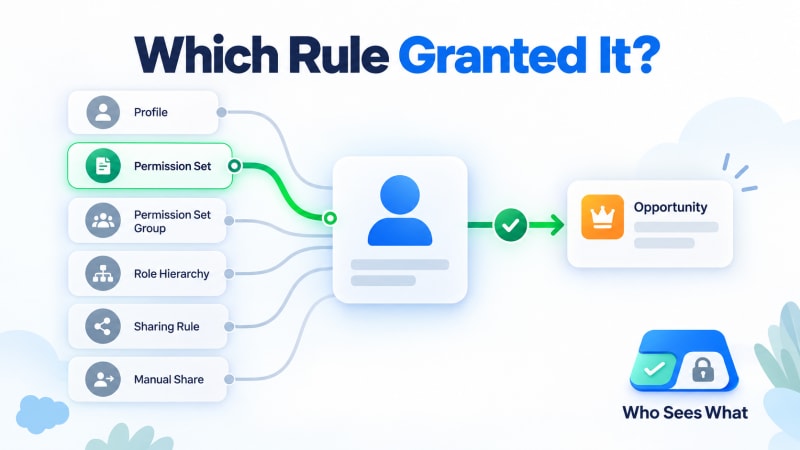
The same trace, with the responsible rule named against each grant.
Why order matters in the trace
Check in the order above, not because Salesforce evaluates them in this order internally, but because each layer rules things out for the next.
If object-level access is not granted at all, field-level and record-level access are moot; the user cannot reach the object regardless of what else is configured. Confirming object access first prevents wasted time investigating field or record settings for an object the user cannot open anyway. The relationship between the three layers is worth understanding properly before running a trace.
Why this matters for an audit, not just a fix
A statement like "this user can edit the Amount field on Opportunities they don't own" is an assertion. An auditor, a compliance reviewer, or your own future self six months from now has no way to verify it without redoing the trace.
A statement like "this user can edit the Amount field because they are assigned the Deal Desk permission set, which grants field-level edit access, combined with a sharing rule that grants read-write access to all Opportunities in the EMEA territory" is evidence. It names the specific mechanism, which means it can be checked, and it means the fix, if one is needed, is unambiguous.
The difference between those two statements is the difference between an access review that produces a defensible sign-off and one that produces a plausible guess.
Doing this trace for every access question
The manual process above is correct, and for one user on one object it takes perhaps ten to fifteen minutes if you know where to look. The real cost shows up at volume: a security review covering fifty users, or an offboarding check confirming access was removed everywhere it was granted, multiplies that ten to fifteen minutes by every user and every object in scope. That volume problem is why access questions eat an afternoon.
Who Sees What runs this exact trace automatically. Pick a user, and for every object, field and record they can reach, it shows the specific profile, permission set or sharing rule responsible, resolved across all three layers at once rather than checked one screen at a time.
The output is the same evidence a manual trace would produce, in the time it takes to search a name.
A trace worth practising manually at least once
Even with a tool that automates this, it is worth doing the manual trace by hand at least once for a real access question in your org. It builds the mental model of how the six sources interact, which makes reading any automated answer, including this app's, faster to sanity-check.
Who Sees What is built and maintained by TwinStack Solutions, a Salesforce partner. Questions about setup: [email protected]
Turn an assertion into evidence.
See every object, field and record a user can reach, each one annotated with the rule that granted it. Free and read-only.
Get It Now, Free