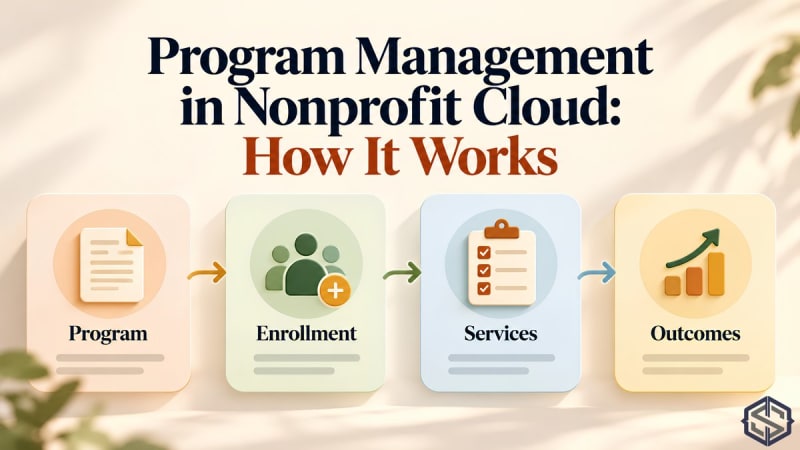
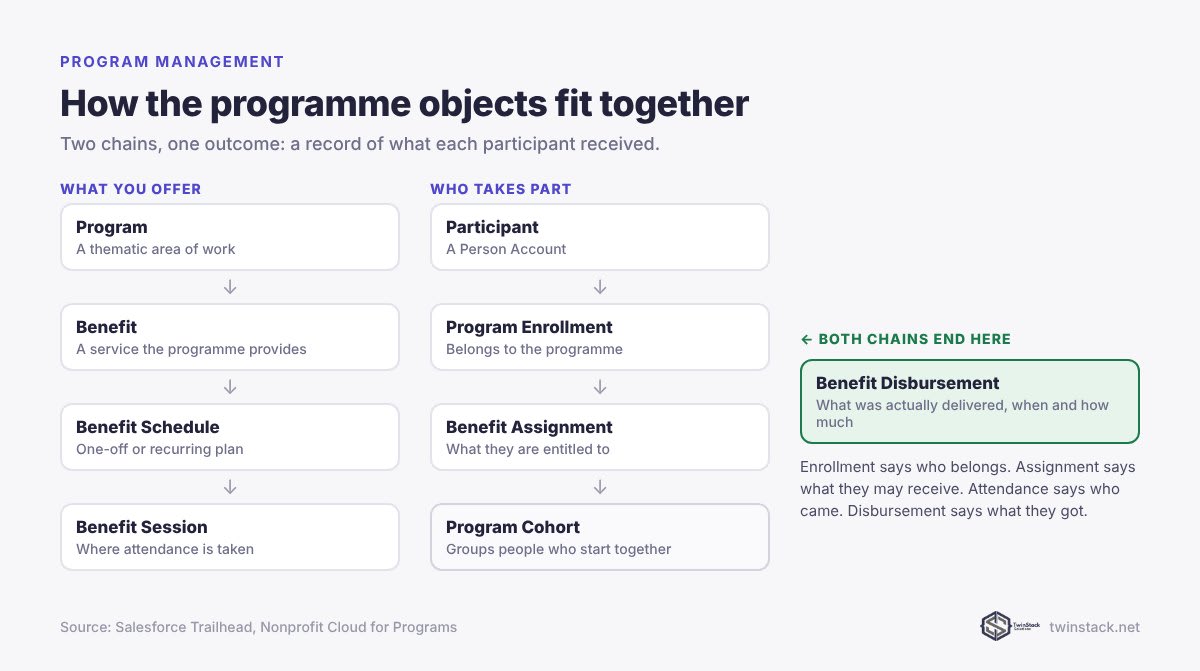
Short answer: Nonprofit Cloud tracks programmes with standard objects. A Program contains Benefits, the services you provide. A participant joins through a Program Enrollment, is entitled to services through a Benefit Assignment, attends planned Benefit Sessions created from a Benefit Schedule, and receives services recorded as Benefit Disbursements. Program Cohorts group participants who move through a programme together. It replaces NPSP's separate Program Management Module, and it sits in the same data model as fundraising, so donors and participants can be the same records.
Why programme data belongs in Salesforce
Funders increasingly ask what their money delivered, not just where it went. If attendance lives in spreadsheets and case notes in another tool, every funder report becomes a manual project. Recording programmes in the same system as your fundraising and contacts means a report on outcomes and a report on income draw on the same people.
The building blocks
| Object | What it represents | Example |
|---|---|---|
| Program | A thematic area of your work | Youth Employment |
| Benefit | Something the programme provides | CV workshop, mentoring hour, food parcel |
| Program Enrollment | A participant belonging to a programme | Amina is enrolled in Youth Employment |
| Benefit Assignment | What a participant is entitled to | Amina may attend 10 workshops |
| Benefit Schedule | A plan of sessions, one-off or recurring | Workshops every Tuesday from March |
| Benefit Session | One planned occurrence, where attendance is taken | Tuesday 12 March workshop |
| Benefit Disbursement | What was actually delivered, when and how much | Amina attended on 12 March |
| Program Cohort | Participants moving through together | March intake |
The distinctions matter for reporting. Enrollment says someone belongs. Assignment says what they are entitled to. Attendance says they turned up. Disbursement says what they received. Mixing these up is the most common reason programme reports do not add up.
How a typical programme runs
- Set up the Program and its Benefits once.
- Enrol participants with a Program Enrollment, optionally adding them to a Cohort.
- Assign Benefits where entitlement is limited, such as a fixed number of sessions.
- Create a Benefit Schedule. Recurring schedules create a Benefit Session for each occurrence automatically.
- Take attendance on each session.
- Record disbursements from the session, or ad hoc for walk-in services such as emergency food support.
- Report on enrolments, attendance and services delivered by programme, cohort or period.
Beyond programmes: cases and outcomes
Nonprofit Cloud also includes case management for client work, and outcome management for defining indicators, baselines and milestones against a theory of change. Not every organisation needs all three. Start with programmes and disbursements, and add case and outcome tracking once the basics are reliable.
How it compares with NPSP's Program Management Module
PMM was a separate free package installed alongside NPSP, with its own objects. Nonprofit Cloud's programme management is built in. The table shows the closest equivalent for each PMM object.
| PMM (NPSP) | Nonprofit Cloud |
|---|---|
| Program | Program |
| Service | Benefit |
| Program Engagement | Program Enrollment |
| Service Schedule | Benefit Schedule |
| Service Session | Benefit Session |
| Service Delivery | Benefit Disbursement |
The concepts line up closely, which helps a migration. The work is in moving the records, rebuilding reports, and redesigning any customisation added to PMM. Our data mapping guide includes the PMM objects in its load order.
Getting participant data in
Intake forms are where programme data usually starts. If your intake and registration run on Google Forms, our free Google Form Auto Sync captures submissions into Salesforce natively, and our post on Google Forms for nonprofits covers common setups. Our illustrative Riverside Community Trust case study shows the volunteer sign-up version of the same problem.
Protecting participant data
Programme records often hold sensitive information: health, family circumstances, safeguarding notes. Decide early who can see participant records, and check it after go-live. Our free Who Sees What shows exactly what any user can access and which rule grants it, which is useful before a funder or safeguarding audit asks.
Frequently asked questions
What is Program Management in Nonprofit Cloud?
It is the built-in set of objects for running programmes: Programs, Benefits, Program Enrollments, Benefit Assignments, Benefit Schedules, Benefit Sessions, Benefit Disbursements and Program Cohorts.
What is the difference between a Benefit Assignment and a Benefit Disbursement?
A Benefit Assignment records what a participant is entitled to receive. A Benefit Disbursement records what they actually received, and when.
How is attendance tracked in Nonprofit Cloud?
Attendance is recorded on Benefit Sessions, which are created from a Benefit Schedule. Disbursements can then be created from the session for the people who attended.
How does Nonprofit Cloud program management compare with PMM?
The concepts map closely: PMM Services become Benefits, Program Engagements become Program Enrollments and Service Deliveries become Benefit Disbursements. The difference is that Nonprofit Cloud's version is built into the platform rather than installed as a separate package.
Can donors and programme participants be the same record?
Yes. Both are Person Accounts in Nonprofit Cloud, so a volunteer who donates and attends a programme has one record rather than several.
Planning programme tracking for funder reporting? Book a free call.